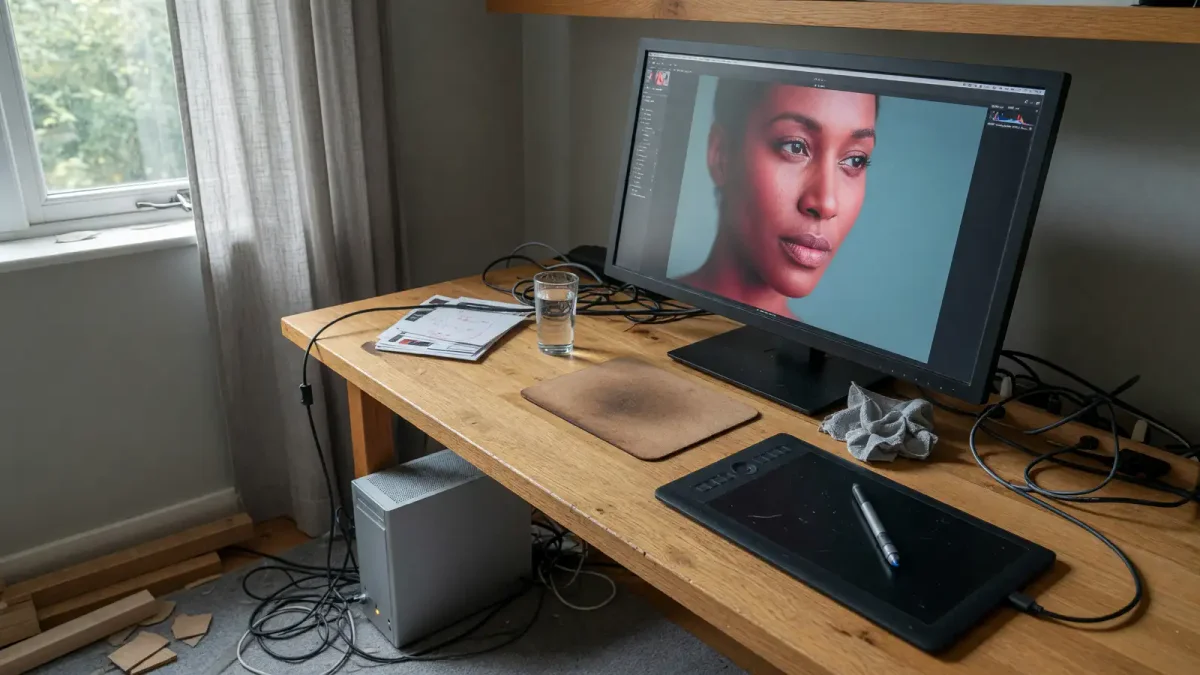
Most AI image tools still mean an upload. You send a raw file to a vendor, wait, and hope the terms you clicked last year still match the job. At IFA 2026 in Berlin, NVIDIA’s local-AI briefing included a quieter product note that actually lands in an artist’s week: CyberLink’s PhotoDirector AI PC Mode, a diffusion stack sitting inside PhotoDirector 365, with a switch between local and cloud per task.
That is not a new model card. It is a placement problem. The same class of tools we already covered in AI photo editing beyond Photoshop is moving into software people already pay for, on hardware that is supposed to ship in October. If you make pictures for a living, the interesting part is which button you should leave on “local.”
What CyberLink actually showed
NVIDIA’s September 3 post, by Gerardo Delgado, calls AI PC Mode one of the first times diffusion models are wired into a mainstream editor instead of a separate web app. The feature list is the usual 2026 kit: generative editing, image enhancement, object and distraction removal, background removal and replacement, portrait refinement, and generating new visuals from scratch. The sentence that matters is the last one. You can pick local or cloud “depending on the task.”
On NVIDIA GPUs, PhotoDirector uses TensorRT-RTX and FP8 for the local path. TensorRT is NVIDIA’s inference compiler. FP8 is an 8-bit floating-point format that trades some numeric range for speed and memory. In practice that usually means the local pass is faster and cheaper than a full-precision cloud job, and sometimes a little softer on fine texture. You will want to test skin, fabric, and small type before you trust it on a client file.
SMBtech’s IFA write-up repeats the same feature list and the October timing. Neither source published a quality comparison against Photoshop Generative Fill, against Midjourney, or against a local ComfyUI graph. Treat the briefing as a shipping date and a topology, not a bake-off.
PhotoDirector 365 is a subscription editor. If you already live in Photoshop, Lightroom, or Capture One, this is not a reason to migrate next week. It is a reason to watch whether Adobe, Affinity, and Capture One copy the local/cloud toggle once Spark machines exist in the wild.
Why local still changes the job
Cloud image tools fail in three boring ways. The file leaves the building. The queue is someone else’s. The model version changes without a changelog you can cite.
Local does not magically fix taste. It does fix the first two, and it makes the third your problem instead of the vendor’s. A wedding photographer editing identifiable faces has a different risk profile than a concept artist making spaceships. A newsroom removing a stray backpack from a protest photo has a different one again. “Depending on the task” is the only honest default.
For faces, keep the local path unless the client has already approved a named cloud vendor. For product shots with unreleased hardware, same rule. For a mood board that will never see a person, cloud is fine and often better, because the big models still win on prompt range.
Latency is the other practical split. Object removal on a 24-megapixel file should not require a round trip. Generating a new background from a paragraph of text still might. If CyberLink’s toggle is real, use it that way: local for surgical edits, cloud for invention. If the toggle is marketing and both paths hit the same server, you will find out the first time your laptop’s GPU stays idle.
We already watched Apple try a similar move with Image Playground. On-device is not automatically more private if the app phones home for the interesting models. Read PhotoDirector’s October release notes for which weights ship on disk.
The hardware caveat: October, and not your current laptop
AI PC Mode is “optimized for NVIDIA RTX Spark when it launches.” Spark Windows PCs are scheduled for October 2026. At IFA, Acer showed a compact desktop concept. Lenovo announced the Yoga Pro 9n and Yoga 9n 2-in-1. NVIDIA says those join six OEMs already lined up for October.
The spec NVIDIA is repeating: a 1-petaflop RTX Blackwell GPU, up to 128GB of unified memory, a 20-core Grace CPU. That is a new class of Windows machine, not a driver update for last year’s gaming laptop. Unified memory is the part artists should actually care about. Image models blow up when the weights, the working image, and the video preview all want RAM at once. 128GB is how you keep a 24-megapixel file, a local diffusion pass, and Lightroom open without paging. A 16GB gaming laptop will still run something. It will not run this briefing.
If you have a current RTX 40-series card, TensorRT-RTX and FP8 may still help PhotoDirector’s local path. NVIDIA did not publish a minimum GPU for AI PC Mode beyond “on NVIDIA GPUs.” Do not buy a Spark for this feature until you have seen a real file go through the local stack. Six unnamed OEMs plus Acer and Lenovo is a launch wave, not a shopping link. Wait for a reviewer who publishes the five-file test instead of a petaflop slide.
NVIDIA PAIR, the agent installer shown in the same keynote, is a separate product. The beta runs on Windows, macOS, and Linux, on GeForce RTX 20-series and newer, RTX PRO Turing and newer, DGX Spark, and Apple M4. That is interesting for people running local agents. It is not PhotoDirector. Mixing the two in a shopping list is how you end up with a mini-PC you use as a paperweight.
Where this sits next to the tools you already use
Qwen-Image-3.0 is chasing readable text in documents. Midjourney is still the aesthetic default for a lot of concept work. Photoshop Generative Fill is the thing clients already know how to ask for. PhotoDirector is trying to be the place those operations happen without leaving the catalog of a working shoot.
That is a product strategy, not an art movement. The risk is the same one that hit every “AI panel” in 2024: a row of buttons that all look like magic and none of which say what model ran. If CyberLink does not expose model name, seed, and whether the pass was local, you cannot document a commercial job. Keep a sidecar note. Screen-record the first month if you have to. Provenance tools we covered in authentication tracking do not help if the editor never wrote the metadata.
ComfyUI people will shrug. You can already run local diffusion, including video. SMBtech notes LTX 2.5 as an open-world video model aimed at RTX GPUs, DGX Spark, and DGX Station, with NVFP4, FastVideo, and ComfyUI paths. That is the power-user stack. PhotoDirector is for the photographer who will not open a node graph. Both can be true. The IFA news is that the second group is being sold a local button.
Quality is still the open question. FP8 local inpainting can smear hair edges. Cloud models can invent a second elbow. Neither failure is new. What is new is the chance to A/B the same tool on the same file with the network unplugged. Do that on a throwaway portrait before you do it on a paid one.
Check three failure modes on purpose. Hair against a busy background: does the local fill leave a halo, or does it eat the flyaways. Small type on a sign: Qwen-Image is the model that cares about this, PhotoDirector may not. Repeating patterns on fabric: FP8 sometimes turns a weave into mush. If any of those three show up on your five-file test, keep that category in the cloud or in a dedicated local graph you already trust.
Client delivery still needs a sentence in the invoice or the estimate. “Retouching may include on-device generative tools. Source files do not leave this studio unless you ask for a cloud look.” That is not legal advice. It is how you avoid a Friday email from a subject who found their face in a training argument they did not join.
A working rule for the next six weeks
Do not rebuild your pipeline around a booth demo. Do this instead.
Pick five files that represent your actual week: one face, one product, one busy background, one graphic with type, one image you would never upload. When AI PC Mode ships, or when a Spark review machine shows up, run the same five locally and in the cloud. Write down time, artifacts, and whether the file left the disk. Keep the notes. That is the review. Everything else is keynote language.
Time the jobs. If local object removal is slower than the cloud on your current GPU, the feature is not for this machine. If local is faster and the cloud looks better, you have a taste decision, not a hardware one. If both look the same and local never hits the network, that is the win NVIDIA is selling. Confirm it with a packet capture or airplane mode. Trust but unplug.
Price is the last filter. PhotoDirector 365 is already a subscription. Spark hardware is a new computer. Adding both to replace a workflow you already have in Photoshop plus a $20 image API is only rational if you have a privacy requirement or a volume of files that makes per-image cloud fees sting. Most illustrators will not. Some portrait studios will.
If you already have a strong local ComfyUI or Forge setup, PhotoDirector is optional. If you currently upload every clone-stamp job to a website, the local toggle is the first consumer-shaped version of a practice that should have been default for identifiable people two years ago.
October is a hardware date. The editorial date is whenever you can prove the toggle does what the blog post says. Until then, keep doing the unfashionable thing: retouch the file on a machine you control, and only send pixels you could stand to see in a vendor’s training set.
The IFA floor will move on to agents and laptops. The useful leftover is a checkbox that says local. Use it when the picture has a person in it. Ignore it when you are just hunting a sky.