AI-Powered Animation Tools in 2026: From Keyframes to Generative Motion
Animation has always been labor-intensive — seconds of screen time requiring weeks of work. AI is changing that, with tools that generate motion, interpolate frames, and automate rigging. Here's how studios and indie creators are using AI to animate faster and dream bigger.
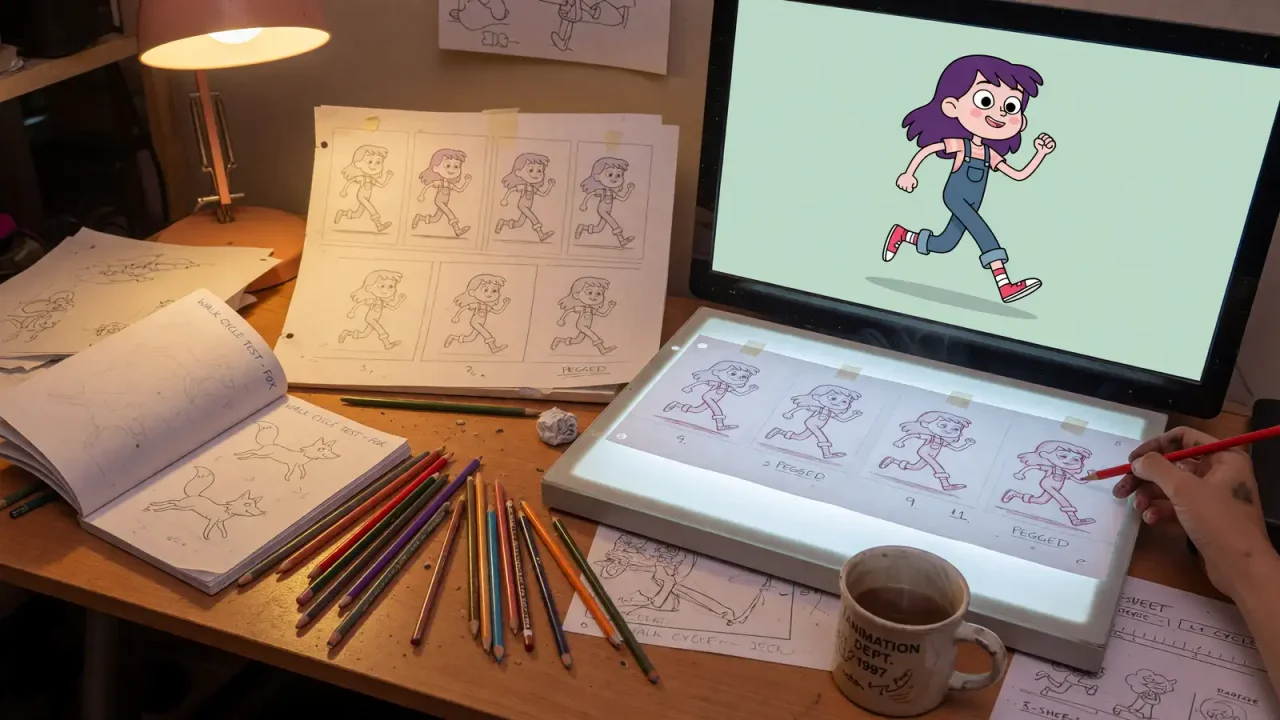
Traditional animation operates on brutal economics: 24 frames per second, each potentially requiring hours of human labor for drawing, rigging, posing, lighting, and rendering. A 90-minute animated feature represents years of work by hundreds of artists. AI animation tools are attacking this bottleneck from multiple angles, and the results are beginning to transform what’s possible for studios and independent creators alike.
Motion generation and interpolation
The most impactful AI animation technique is motion interpolation — generating intermediate frames between key poses. Traditional animation requires artists to create every frame or, in digital animation, to manually define motion curves between keyframes. AI can now generate smooth, physically plausible motion from sparse keyframes, dramatically reducing the manual labor required.
Runway’s Motion Brush allows creators to paint motion directly onto still images: click on clouds and drag to define their movement direction, and the AI generates realistic cloud motion. Click on a character’s arm and define a waving motion, and the AI generates natural arm movement while preserving the character’s appearance. This “directed motion” approach gives creators precise control while automating the frame-by-frame work.
DeepMotion’s Animate 3D can generate full-body character animation from video of a human performer — no motion capture suit required. A performance recorded on a phone can be turned into motion data for a rigged 3D character. Results depend on camera angle, occlusion and fast movement, so studios typically clean up the output, but for previsualization and indie projects it removes the need for a motion-capture stage.
EbSynth takes a different approach: provide a single keyframe painting and a video with the desired motion, and it propagates the painting style across all frames. The technique works best when the painted keyframe and the video share similar framing; large changes in angle require additional keyframes.
AI rigging and character setup
Character rigging — creating the skeletal structure and control systems that allow 3D characters to be posed and animated — is one of the most technical and time-consuming aspects of 3D animation. AI rigging tools are automating this process.
AccuRIG (from Reallusion) is a free auto-rigging tool: you import a static humanoid model, place a few guide points, and it generates a skeleton and skin weights. Auto-rigs are a fast starting point for background characters and prototypes; hero characters usually still need a rigger to refine deformation and facial controls.
Cascadeur’s AI-assisted animation uses physics simulation and machine learning to generate natural-looking character poses and motion. An animator poses a character at key moments; the AI fills in the transitions with physically accurate motion that accounts for balance, momentum, and body mechanics. manage the physics of every frame.
The studio response
Large studios talk about AI mainly as a way to speed up technical stages rather than character performance. The tasks most often mentioned are in-betweening, cleanup, rotoscoping, lip sync, simulation (cloth, hair, crowds) and previsualization. These are labour-intensive steps where the creative decision has already been made and the work is applying it consistently across many frames.
Public, verifiable figures on time savings are scarce. Studios rarely publish production metrics, and vendor case studies measure different things, so claims such as “X% faster production” should be treated as marketing until a studio documents them. What is visible is the pattern of adoption: AI assists inside existing pipelines (Maya, Blender, Toon Boom, Unreal) rather than replacing them, and final performance remains an animator’s job.
Independent creators
The biggest relative change is for solo creators and small teams. Tools that turn video into motion data, auto-rig a character or animate a still image remove steps that previously required specialist skills or equipment. A creator can now block out a short in a few days and spend their time on story, timing and style.
The limits are just as clear. Consistency across shots, precise timing and editability are still hard with fully generative video, so most finished independent work combines AI-generated passes with traditional keyframing and compositing.
Tools and techniques in use
- Performance-driven animation: Runway’s Act-One, announced in October 2024, maps an actor’s video performance onto a generated character (Runway).
- Image-to-video models (Runway, Kling, Google Veo, OpenAI Sora) can animate concept art. Results are still hard to keep consistent across shots.
- Assistive features in traditional software: in-betweening, automatic lip sync, motion capture from ordinary video, and rotoscoping help, in tools such as Adobe products and Autodesk’s Wonder Studio (now Flow Studio).
Labor and legal context
The Animation Guild’s 2024 contract with major studios added provisions on generative AI, including notice and consultation requirements (The Animation Guild). In June 2025, Disney and Universal sued Midjourney, alleging that its outputs reproduce their copyrighted characters (NPR). That case is a reminder that generated animation featuring recognizable IP carries legal risk.
For studios and freelancers alike, the practical step is contractual: record which tools were used on a project, keep the source files for any AI-assisted shot, and check the client’s or distributor’s policy on generative AI before delivery.
Choosing a tool by task
| Task | Tool type | Example | Watch out for |
|---|---|---|---|
| Body motion from video | Markerless motion capture | DeepMotion Animate 3D | Occlusion, foot sliding; plan cleanup time |
| Rigging a humanoid model | Auto-rigging | AccuRIG | Facial rigs and extreme poses need manual work |
| Physically plausible posing | Physics-assisted keyframing | Cascadeur | Stylized, non-physical animation may fight the solver |
| Stylizing live action | Example-based style transfer | EbSynth | Needs extra keyframes when the camera angle changes |
| Performance onto a character | Generative performance transfer | Runway Act-One | Limited control over individual frames |
| Animating concept art | Image-to-video models | Runway, Kling, Veo, Sora | Shot-to-shot consistency; rights to the input image |
A practical rule is to put AI where the output will be reviewed and edited anyway (blocking, previs, in-betweens, cleanup) and keep it away from places where a mistake ships unnoticed, such as final lip sync on a hero character.
Our analysis
For studios, the near-term value lies in shortening the tedious stages of the pipeline: cleanup, in-betweens, previsualization and lip sync. Replacing animators outright is not where the value is. Fully generative shots still struggle with character consistency, precise timing and editability, all of which professional animation depends on. Independent creators gain the most, because previsualization and short-form content no longer need a full team. For anyone evaluating these tools, the best test is a short scene from your own pipeline: measure how long cleanup takes after the AI pass, not how impressive the raw output looks.