MIT InstructMesh and Photoshop Relight: Language-Driven 3D Mesh Editing vs. Generative Lighting for Creators
MIT's InstructMesh lets users repair AI-generated 3D models in plain language before printing, while Photoshop's beta Relight swaps photo lighting for up to three virtual lights. How each works and how creators can evaluate them.
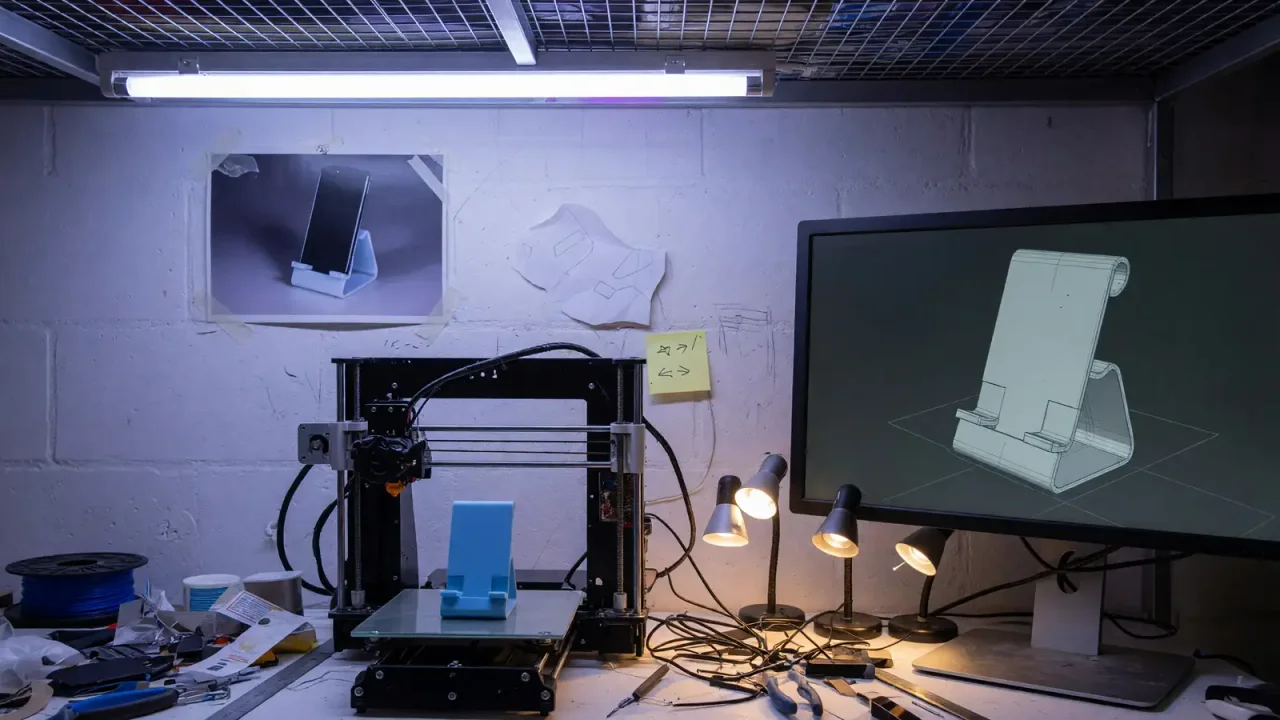
Two AI tools announced at the end of September point in the same direction for creative work: generating an image or object is becoming the easy part, and the useful product is the ability to correct and control the result. MIT’s InstructMesh lets users repair AI-generated 3D models in plain language before 3D printing them. Adobe’s Photoshop Relight, a beta feature, replaces the lighting in a photo with up to three adjustable virtual lights on a separate layer.
This article explains how each tool works according to the published reports, what is and is not known about them, and how creators can evaluate them responsibly.
InstructMesh: repairing AI-generated 3D models
MIT News reported on October 1 that researchers from MIT’s Computer Science and Artificial Intelligence Laboratory (CSAIL), working with Google and Northeastern University, built InstructMesh, a system that generates a 3D object, lets users point out and describe problems in natural language, and prepares the result for fabrication.
The system combines two components named by MIT:
- Microsoft TRELLIS, which generates 3D shapes from text and images.
- GPT-4, which interprets users’ natural-language descriptions of what should change.
Lead author Faraz Faruqi (SM ‘22, PhD ‘26, EECS), a recent CSAIL affiliate, explained that the goal is to bring 3D generators and language-model reasoning into one interactive space so people can create objects they actually want.
How the workflow runs
According to MIT News, the process is:
- Prompt a design (the article’s example is a pair of glasses).
- Highlight the parts that are wrong.
- Describe the problem in natural language.
- Review the edited geometry, which the system produces by manipulating the generator’s latent space.
- Use sliders to enlarge or extrude a region when language is too imprecise.
- Approve the result and send it to a 3D printer.
Study participants created objects such as phone stands and vases. MIT lists household items, accessories, and robots that work in the real world as potential applications.
What the report does not tell us
The MIT News article does not report the size of the user study, success rates, or print-failure rates. Its evidence is qualitative: participants said they could get what they prompted and refine it with sliders. That is useful usability evidence, but it is not a manufacturing specification. Load-bearing or safety-critical parts still need conventional engineering checks.
The highlight-and-approve step matters. Language models tend to agree with requested changes even when the result breaks something else, such as a hinge on a glasses frame. Requiring the user to approve each edit keeps a human in control of the geometry.
Photoshop Relight: generative lighting on a separate layer
Creative Bloq reported on September 30 on Relight, a new feature in the Photoshop desktop beta (version 27.10.0). According to the article:
- It is found under Layer > New Relight layer.
- A default white light appears in the center of the image and can be dragged anywhere, including off-canvas.
- Each light has controls for intensity, color, and diffusion.
- Up to three virtual lights can be added and switched on or off individually. With all of them off, the image shows only the remaining ambient or original light.
- The effect lives on a Relight Layer in the Layers panel, leaving the original pixels unchanged.
Creative Bloq explains that Relight removes the existing lighting and generates new lighting, rather than simply brightening or darkening areas. That is why reactions were divided: some users praised its speed and its value for studying light direction, while others objected to generative reconstruction. The article compared the debate to reactions to Nvidia’s DLSS technology.
Practical considerations
- It is non-destructive, which makes it safer to experiment with than effects that permanently change pixels.
- Three lights is a limit. Relight is a still-image tool, not a substitute for full lighting setups in 3D scenes.
- Client expectations matter. For commercial photography, generated lighting is a compositing choice. Some clients will welcome it; others who paid for on-set lighting may not. It is wise to state when it is used.
- Generated light may not match physical contact points. Check shadows, reflections, and edges carefully, especially on products and text.
- Beta features change. If the menu item is missing, check the Photoshop beta version.
What the two tools have in common
InstructMesh and Relight solve different problems, one for physical objects and one for photographs, but both add a layer of human control on top of a generator. Prompt-to-3D tools have produced impressive shapes for years, but many could not be adjusted easily or printed reliably. Prompt-based image tools have similar limits. The value of these new tools lies in letting the creator decide which edits to accept.
This continues a trend we have covered with Adobe Firefly and third-party image models, edit consistency in ChatGPT Images 2.5, and local AI tools in PhotoDirector.
How to evaluate them
For InstructMesh-style tools (if and when available):
- Start with simple, low-risk objects such as a phone stand or vase, like the study participants.
- Make specific requests (“the left arm is thinner than the right”) rather than broad style prompts.
- Export the mesh and check it in your slicer software for problems such as non-manifold geometry and wall thickness before printing.
- Do not use AI-generated designs for load-bearing or safety-critical parts without engineering review.
For Photoshop Relight:
- Test on non-client images first, such as a product shot lit by a single window.
- Add a light, turn it off and on, and compare shadows and highlights.
- Keep the Relight Layer separate until final approval, and note the Photoshop version used in project files.
- Follow any client or publication policies about generative edits.
A related note on consent
MIT Technology Review also reported on October 1 on research reconstructing images people are viewing from brain scans. It is unrelated to InstructMesh or Relight, but it is a reminder that image generation increasingly includes inputs beyond typed prompts, which raises questions about consent and privacy.
Bottom line
MIT’s InstructMesh combines Microsoft TRELLIS and GPT-4 so users can describe and approve fixes to AI-generated 3D models before printing them, though the published report offers qualitative rather than quantitative results. Photoshop’s Relight replaces photo lighting with up to three adjustable virtual lights on a non-destructive layer. Both show that the creative value of AI is shifting from generating content to controlling and correcting it, and both still depend on the creator’s judgment.
Sources
- MIT News, “InstructMesh tool lets users repair AI 3D models, then fabricate them” (October 1): https://news.mit.edu/2026/instructmesh-tool-lets-users-repair-ai-3d-models-then-fabricate-them-1001
- Creative Bloq, “Photoshop’s newest AI tool is immediately dividing opinion” (September 30): https://www.creativebloq.com/design/graphic-design/photoshops-newest-ai-tool-is-immediately-dividing-opinion
- MIT Technology Review, “AI mind reading reconstructs what you’re looking at” (October 1): https://www.technologyreview.com/2026/10/01/1145588/ai-mind-reading-reconstructs-what-youre-looking-at